Folders for Gemini, finally.
Organize Gemini chats into nested folders, pin and tag them, find any chat in a keystroke, and export a whole conversation to Markdown or PDF. Everything stays in your browser.
- Sees every chat, not just the recent ones
- No account
- 7-day Pro trial, no card
What Gemini does, and what Sidebarly adds
Gemini's chat list lets you search, pin, rename and delete chats one at a time. Since April 2026 you can also group chats into Notebooks. There are still no folders, no tags and no way to save a single chat as a file.
| Task | Gemini, as of September 2026 | With Sidebarly |
|---|---|---|
| Folders | None. Notebooks are the closest thing | Folders, nested on Pro, with drag and drop |
| Tags | None | Yes, and a chat can carry several |
| Pin | Yes | A Pinned section in the panel; Gemini's own pins keep working |
| Search | Past-chat search | Instant title and tag search; Pro adds the text of chats you have opened |
| Export one chat as a file | No per-chat export | Markdown or PDF in one click; Pro adds a whole folder as a zip |
| Delete many chats | One at a time | Select many, confirm once, done through Gemini's own delete menu |
| Prompt library | None | Saved prompts, inserted with // in the message box |
| Jump to any chat | Scroll or search | Ctrl K palette (Cmd K on a Mac) |
Gemini's side is based on Google's Gemini help center and release notes as of September 2026. Google can add features at any time; we will update this table when it does.
Every Gemini chat, indexed once
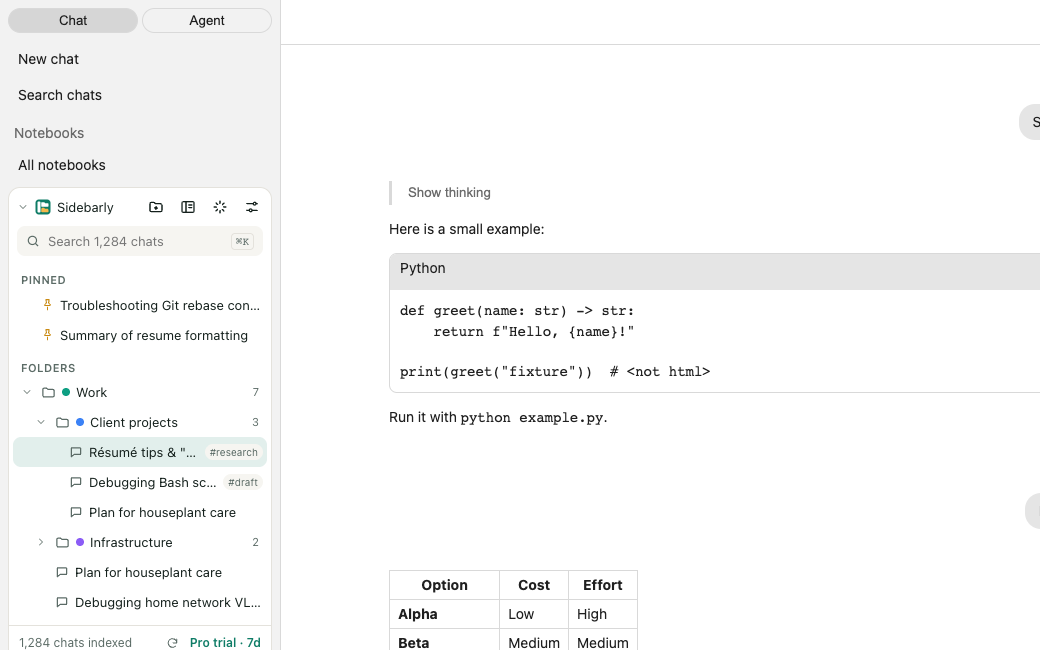
Gemini's sidebar loads recent chats first and the rest only as you scroll. Folder tools that read only the loaded part end up seeing the first 30 or so chats.
Click Index all chats once. Sidebarly scrolls your own chat list to the end, the same way you would, and saves each chat's title and link in your browser. From then on it picks up new and renamed chats as Gemini shows them, and the panel tells you how many chats it knows about so you can check it against your history.
The index is stored in the browser's own database with unlimited storage permission, so a history of a thousand chats or more does not hit a storage quota.
Folders, pins and tags that stay put
Drag and drop
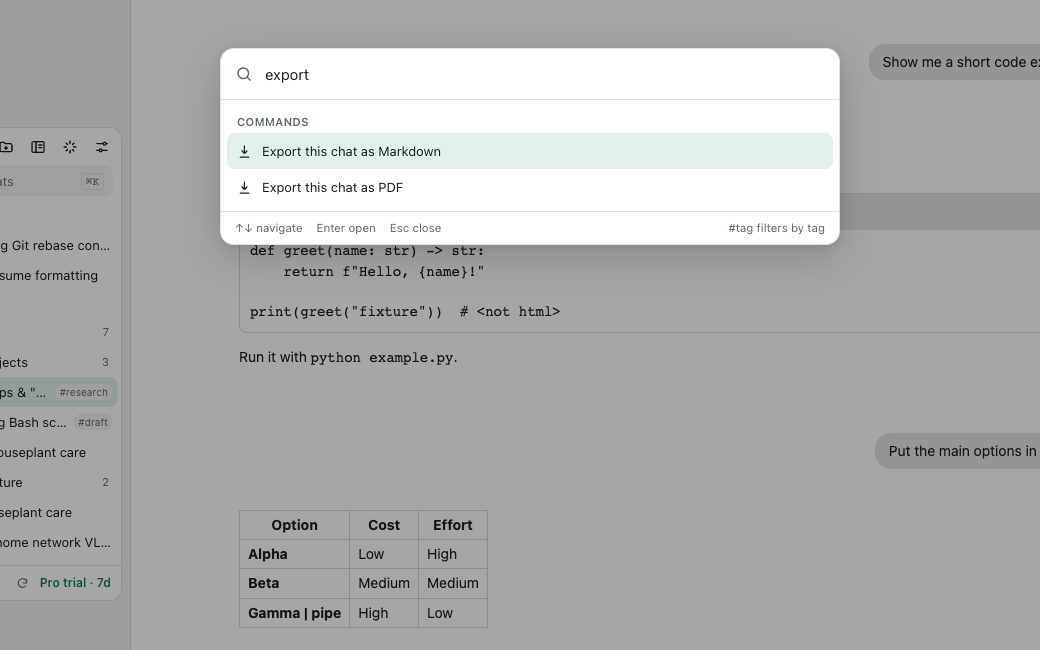
Drag a chat from Gemini's list onto a folder in the panel, or use Move to folder from the chat's menu inside the panel. Folders can be nested and colored on Pro.
Pins and tags
Pin the chats you return to every week. Add tags such as #draft or #code when a chat belongs in more than one place.
Gemini's list untouched
The panel sits above Gemini's own list in a sealed-off layer. Nothing native is hidden, moved or restyled, so Gemini works exactly as before.
Step by step: how to organize Gemini chats into folders, and Gemini Notebooks vs folders.
Export a Gemini chat to Markdown or PDF
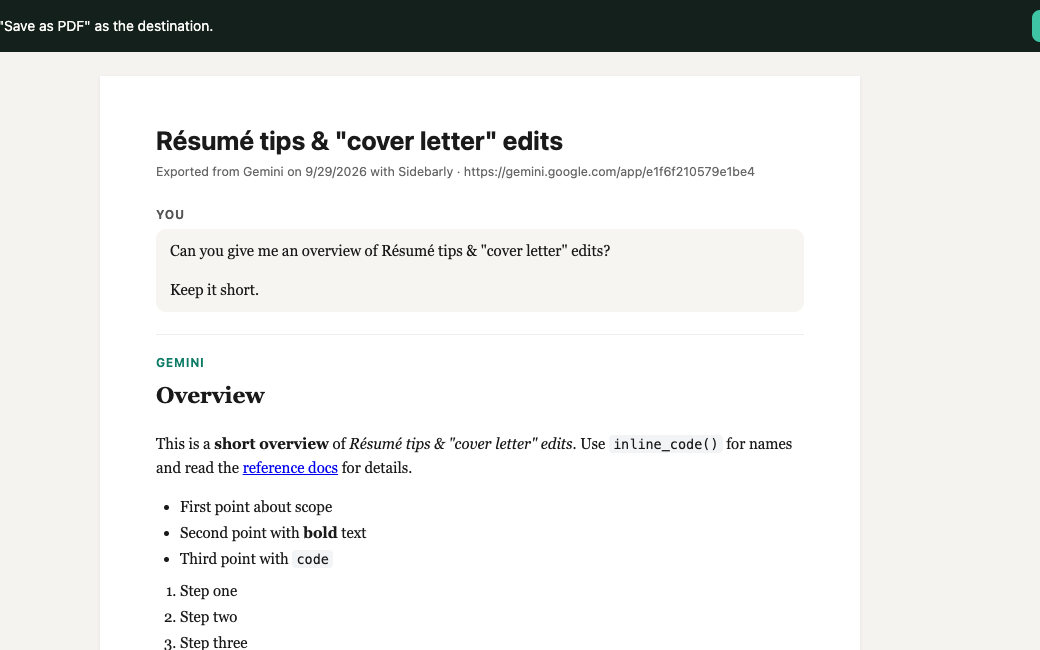
Open a chat and click Export in the panel. Markdown gives you a clean .md file with your prompts and Gemini's answers, headings, lists, tables and code blocks intact, ready for Obsidian, Notion or a Git repo. PDF opens a tidy print view and Chrome's Save as PDF.
Free includes 5 Markdown exports a day. Pro removes the limit and adds PDF and exporting a whole folder as a zip of Markdown files.
All the ways to export a Gemini chat, with and without an extension.
Your best prompts, one keystroke away
Save prompts you reuse, then type // in Gemini's message box and pick one. Pro adds variables: write Summarize {{topic}} for a {{audience}} once, fill in the blanks each time.
Clear out old chats in one go
Tick the chats you want gone, or pick a whole folder, and confirm. Sidebarly then uses Gemini's own delete menu for each chat, in front of you, and you can stop it at any point. Nothing is deleted in the background.
Stored on your computer, not ours
- Folders, pins, tags, prompts and the chat index stay in Chrome on your computer.
- The extension can only access gemini.google.com, plus one small update file from sidebarly.com.
- No account. No analytics. Error reports are off unless you turn them on, and never include chat content or titles.
- No automation: Sidebarly never calls Gemini's internal APIs or acts on its own. It reads what is on your screen and acts when you click.
Gemini folders FAQ
Does Gemini have folders?
Not as of September 2026. Gemini lets you search, pin, rename and delete chats, and since April 2026 you can add chats to Notebooks, which keep shared sources and instructions for an ongoing piece of work. There are no plain folders or tags. Sidebarly adds both without changing how Gemini works. Notebooks vs folders, explained.
Does it work with Gemini Notebooks?
Yes, side by side. Sidebarly organizes the chats in your Gemini chat list and does not move chats into or out of Notebooks. Use Notebooks for work that needs shared sources, and folders to keep everything else tidy.
How many chats can it handle?
It is built for large histories. The index uses the browser's database with unlimited storage permission, so there is no small quota to run into. The free plan limits how many folders you create, not how many chats are indexed.
Some of my chats are missing from the index. Why?
Sidebarly can only see chats that appear in Gemini's own chat list. If a chat is not there (for example because of your Gemini activity settings, or because it lives in a shared notebook), it cannot be indexed. If the count still looks low, run Index all chats again. More on the chat count.
Does it work with work or school Google accounts?
Folders, search and export should work the same way. Google says work and school accounts cannot delete chats, so bulk delete will not be able to delete them either.
Does it work in the Gemini mobile app?
No. It is a Chrome extension for Gemini on the web, on Windows, Mac, Linux and ChromeOS. With Pro sync, your folders follow you between Chrome browsers where you are signed in.
In Chrome Web Store review
Sidebarly Folders for Gemini has been submitted to the Chrome Web Store and is waiting for review. Reviews usually take a few days and sometimes a few weeks. Check back here: the buttons on this page turn into install links as soon as it is approved.
Questions in the meantime? Email support@sidebarly.com.